
How to Create a Relaxing Home Workspace for Better Focus
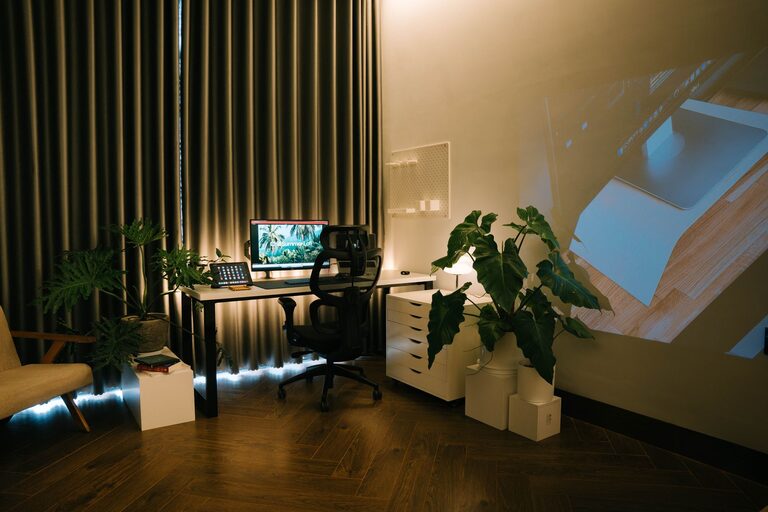
Creating a relaxing home workspace can make a significant difference in your productivity and overall well-being. Whether you work remotely full-time or occasionally need a quiet spot for projects, having a dedicated, peaceful area helps you focus and reduces stress. In this post, we’ll explore practical steps to design a calming workspace that fits your needs.
Why a Relaxing Workspace Matters
Your environment influences how you feel and perform. A cluttered, noisy, or uncomfortable space can cause distractions and fatigue. On the other hand, a well-organized, inviting workspace encourages concentration and creativity. By prioritizing relaxation in your work area, you give yourself the best chance for success every day.
Choosing the Right Location
Find a Quiet Spot
Select a space that’s away from heavy foot traffic, noise, and distractions. It could be a spare room, a corner in your bedroom, or even an area in the living room where you can set up comfortably.
Consider Natural Light
Natural light improves mood and alertness. Set up your desk near a window, if possible, to enjoy daylight. If natural light is limited, choose soft, warm artificial lighting to prevent eye strain.
Setting Up Your Workspace
Invest in Comfortable Furniture
– Ergonomic Chair: Choose a chair that supports your back and encourages good posture.
– Desk Height: Your desk should allow your arms to rest comfortably at a 90-degree angle while typing.
– Footrest: If your feet don’t rest flat on the ground, a footrest can improve comfort.
Keep It Organized
Clutter can increase stress and reduce your ability to focus. Use organizers, shelves, and drawers to keep essentials within reach but out of sight.
#### Tips for Organization
– Use cable management tools to reduce tangles.
– Store papers in labeled folders or trays.
– Limit items on your desk to essentials.
Personalizing Your Space for Relaxation
Add Plants
Indoor plants not only purify the air but also create a soothing vibe. Choose low-maintenance plants like succulents, snake plants, or pothos.
Choose Calming Colors
Soft hues such as light blues, greens, or neutrals promote calmness. Consider painting your walls or adding accessories in these shades.
Use Pleasant Scents
A subtle fragrance like lavender or eucalyptus can enhance relaxation. Use a diffuser or scented candles safely to add gentle aroma.
Minimizing Distractions
Manage Noise
If background noise is a problem, consider noise-canceling headphones or white noise machines. Playing soft instrumental music can also help some people concentrate.
Limit Digital Interruptions
Turn off non-work notifications on your phone and computer. Use apps or settings that block distracting websites during work hours.
Incorporating Break Areas
Take short breaks to stretch and rest your eyes. If space allows, have a nearby comfortable chair or a small nook where you can relax briefly. This separation helps refresh your mind.
Maintaining Your Workspace
Daily Tidying
Spend a few minutes at the end of each day to clear your desk and prepare for tomorrow. This small habit keeps your area inviting and stress-free.
Regular Reassessment
Every few weeks, evaluate whether your workspace still meets your needs. Make adjustments as necessary to maintain comfort and relaxation.
Bonus Tips for Better Focus
– Use a task list or planner to organize your workload.
– Ensure your computer screen is at eye level to reduce neck strain.
– Stay hydrated and keep a water bottle nearby.
—
Creating a relaxing home workspace isn’t about having a perfect setup but making thoughtful choices that support your comfort and concentration. With these tips, you can design a space that feels inviting and productive—making your workdays more enjoyable and efficient.